

25 October 2026
CommsLoRa Mesh Networks UK: A Practical Guide to Emergency Communications
Mobile networks can fail when you need them most. Discover how LoRa mesh networks, including Meshtastic and MeshCore, can help you stay connected during power cuts, severe weather and other emergencies in the UK.
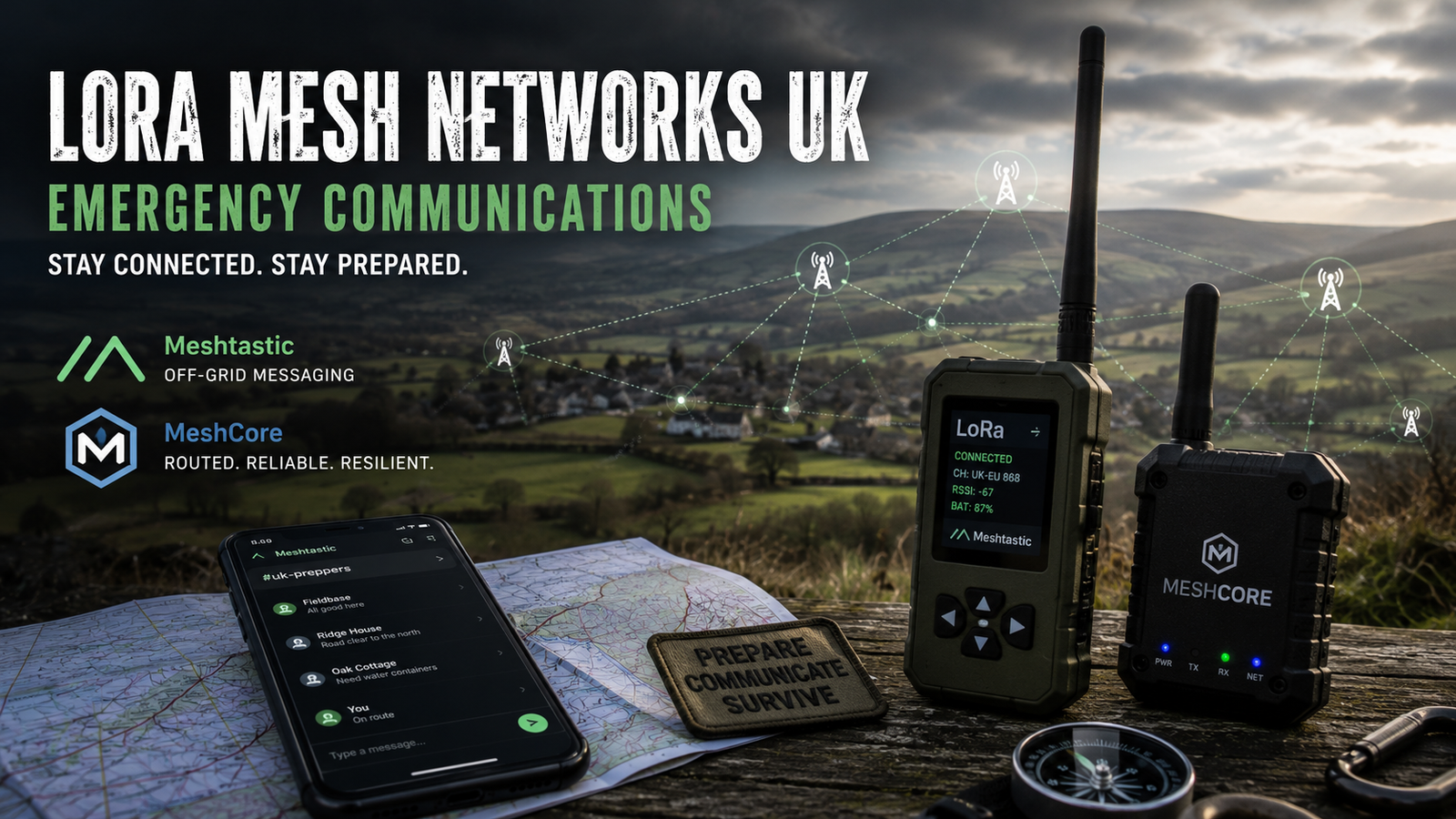
Staying Connected When the Network Goes Down
Imagine a prolonged power cut affecting your local area. Mobile phone masts may have limited backup power, broadband connections could fail, and telephone networks may become congested just when everyone is trying to contact family and friends.
You reach for your mobile phone, but your messages will not send.
What is your backup plan?
For many people, emergency communications mean keeping a power bank charged or buying a pair of walkie-talkies. Both can be useful, but there is another option worth exploring: LoRa mesh networking.
Using inexpensive, low-power radio devices, it is possible to send short text messages between compatible devices without relying on mobile phone coverage, Wi-Fi or a conventional internet connection.
Two projects attracting particular interest from the preparedness and amateur technology communities are Meshtastic and MeshCore. Both use LoRa radio technology, but their approaches to building and managing a mesh network differ.
Neither is a replacement for every form of emergency communication. However, when incorporated into a wider preparedness strategy, either can provide a useful additional layer of resilience.
Let's look at how these systems work, what they can realistically achieve in the UK, and how to build a practical setup for your household or local preparedness group.
What Is a LoRa Mesh Network?
LoRa stands for Long Range. It is a radio technology designed to transmit small amounts of data over relatively long distances while using very little power.
Unlike conventional Wi-Fi, which is designed for relatively high data rates over shorter distances, LoRa prioritises range and energy efficiency over speed.
That makes it well suited to short messages, basic status updates and small amounts of information.
A LoRa mesh network uses compatible radio devices, often called nodes, to communicate with one another. Depending on the system and its configuration, messages can be relayed through other nodes to reach someone who is outside the direct radio range of the sender.
For example, imagine three households:
-
Household A can communicate directly with Household B.
-
Household B can communicate directly with Household C.
-
Households A and C cannot reach each other directly.
If the network's routing arrangements permit relaying through Household B, a message from A may reach C without either household needing mobile coverage.
Add further nodes in suitable locations and the network may extend across a neighbourhood or wider area.
The important point is that a mesh network can provide a communications route without requiring a central mobile phone mast or internet service. Its actual reach depends on radio conditions, compatible settings, node placement and the network's routing behaviour.
LoRa is not magic, however. Hills, buildings, foliage, antenna quality and interference all influence performance.
Why LoRa Mesh Networks Make Sense for UK Preparedness
The UK presents some interesting challenges for emergency communications.
Dense urban areas contain buildings that obstruct radio signals. Rural communities may be separated by hills, valleys and long distances. Even where mobile coverage is normally good, severe weather, power failures or network congestion can disrupt communications.
LoRa mesh networking offers several potential advantages.
1. No mobile phone signal required
A direct radio connection between compatible nodes does not require a SIM card, mobile subscription or cellular coverage.
You can exchange messages even when the mobile network is unavailable, provided your radio path and network configuration support the connection.
2. Low power consumption
Many LoRa devices are designed to operate for extended periods from small batteries. Actual battery life varies considerably according to hardware, transmit settings, message traffic and whether features such as GPS are enabled.
A suitable device can therefore be useful during a prolonged outage when charging opportunities are limited.
3. No internet required for local messaging
Both Meshtastic and MeshCore can support local communications without an internet connection.
Some optional integrations and wider network services do use internet-connected gateways, but these are not essential to every deployment.
This distinction matters. If your emergency communications plan only works while your broadband router is online, it is not truly independent of your home internet connection.
4. Messages can travel through other nodes
Where the relevant system and routing configuration support it, intermediate nodes can help messages reach destinations beyond direct radio range.
The availability of useful relay nodes is therefore important. A device sitting in a drawer will not extend your network for other people.
5. Relatively accessible entry costs
You do not necessarily need an expensive radio installation to get started. A supported development board, suitable antenna and smartphone may be enough for a basic setup.
Prices and hardware capabilities vary, so beginners should focus on compatibility and reliability rather than buying the most powerful-looking device.
Meshtastic UK: Getting Started with Off-Grid Messaging
Meshtastic is an open-source project that turns compatible LoRa devices into a decentralised messaging network.
Its main attraction is accessibility. Many users connect a small radio device to a smartphone over Bluetooth and send messages through an app.
The radio handles the LoRa communications, while the phone provides a familiar interface for reading and composing messages.
Official project documentation: https://meshtastic.org/docs/introduction/
How Meshtastic works
A typical setup consists of:
-
A compatible LoRa device running Meshtastic firmware.
-
A smartphone or computer to control the device, if required.
-
A suitable antenna.
-
A battery or other power source.
-
Compatible regional, frequency and modem settings.
After configuring the device for the correct region, users can exchange messages with compatible nodes on the same radio settings.
Meshtastic uses a decentralised approach to packet distribution, with configurable rebroadcast behaviour. Nodes may relay packets according to their settings, rather than requiring a dedicated repeater network in every situation.
This can make it straightforward to experiment with a small group of friends or family members. However, a crowded network, unsuitable configuration or poorly placed nodes can reduce reliability.
What can you do with Meshtastic?
For emergency preparedness, useful features include:
-
Sending short text messages to other users.
-
Sharing location information when configured and appropriate.
-
Checking whether other nodes are reachable.
-
Sending simple status updates.
-
Communicating with a group during an outdoor activity or local disruption.
Imagine a family spread across a village during a power cut. One member could send a short update confirming they are safe, while another could report a blocked road or a need to collect someone from a particular location.
These are modest capabilities, but modest capabilities can be valuable when ordinary communications are unavailable.
Meshtastic and privacy
Meshtastic supports encrypted messaging, but its security depends on configuration and how the system is used.
The default primary channel key is publicly known. Do not assume messages on that default channel are private.
Set up a properly configured private channel for your intended group, manage keys carefully and understand the limitations of the encryption options supported by your firmware version.
Also remember that radio metadata can still reveal information about network activity. Encryption does not make a device invisible.
Official guidance: https://meshtastic.org/docs/overview/encryption/
MeshCore UK: An Alternative Approach to LoRa Networking
MeshCore is another open-source LoRa communications project. Like Meshtastic, it supports off-grid text messaging, but it takes a different approach to routing and network infrastructure.
One of its distinguishing features is its use of dedicated repeaters that forward packets towards their intended destinations, rather than indiscriminately rebroadcasting every received packet.
This makes network planning and the placement of suitable repeater nodes particularly relevant.
Official project website: https://meshcore.io/
How MeshCore works
MeshCore provides different firmware roles for different purposes. These include companion devices for users, repeaters to extend network coverage, and room servers for store-and-forward-style community messaging.
A common starting point is a companion device connected to a smartphone over Bluetooth.
The phone provides the messaging interface, while the companion radio communicates with the mesh.
A repeater can then be installed in a suitable location to help messages travel further. Its usefulness depends on the radio links available, correct configuration and the position of other network nodes.
This approach encourages users to think about how the network is constructed rather than simply relying on any nearby device to relay traffic.
Why consider MeshCore for emergency communications?
MeshCore is worth considering if you want to build a more deliberately organised local communications network.
Potential applications include:
-
A household communicating with nearby relatives.
-
A neighbourhood group sharing basic emergency updates.
-
Outdoor groups coordinating over an area with limited mobile coverage.
-
Strategically placed repeaters helping connect otherwise separated locations.
-
Community message services where supported and appropriately configured.
For example, a group might deploy a repeater at a suitable elevated location and arrange for participating households to carry companion devices.
That does not guarantee coverage across an entire village. It creates a network that can be tested, measured and improved as suitable locations and additional users become available.
MeshCore versus Meshtastic
Neither platform is automatically better for every use case. The right choice depends on your priorities and the local network.
| Feature | Meshtastic | MeshCore |
|---|---|---|
| Main purpose | Accessible off-grid messaging | Off-grid messaging with a distinct routing approach |
| Network approach | Decentralised packet distribution with configurable rebroadcasting | Selective forwarding through a routed network, including dedicated repeaters |
| Smartphone integration | Supported | Supported |
| Dedicated repeaters | Not essential for basic operation | An important option for extending a planned network |
| Group messaging | Supported | Supported |
| Internet required for local messaging | No | No |
| Best starting point | Beginners and informal groups | Users interested in planned repeater networks |
| Compatibility | Requires compatible Meshtastic settings and firmware | Requires compatible MeshCore settings and firmware |
Important: Meshtastic and MeshCore are separate systems. A device running one platform does not automatically communicate with a device running the other, even if both use LoRa and operate in the same frequency band.
If you are joining an existing local network, check which platform it uses before purchasing equipment or flashing firmware.
Choosing LoRa Hardware for UK Emergency Communications
There is no single best device for everyone. The right equipment depends on whether you want a portable messaging device, a fixed repeater or a simple way to experiment.
Portable companion devices
A small, battery-powered LoRa device connected to your smartphone is a sensible starting point.
Look for:
-
Explicit support for your chosen firmware.
-
Bluetooth connectivity if you want to use a phone.
-
A suitable UK-compatible radio configuration.
-
A replaceable or rechargeable power source.
-
A connector or antenna arrangement appropriate to the device.
-
A practical enclosure for outdoor use.
Some devices include a screen and physical controls, which can be helpful if you want to reduce your reliance on a smartphone.
Fixed repeaters
If your objective is to extend local coverage, a dedicated repeater may be more useful than purchasing several portable devices.
Prioritise suitable antenna placement, reliable power, weather protection and a location with useful radio paths to other nodes.
A well-positioned, compliant device may provide more practical benefit than a higher-powered unit placed behind thick walls.
Before installing equipment on a roof, mast or other elevated location, consider structural safety, lightning protection, weather exposure and permission from the property owner.
Antennas matter
An antenna suitable for the device's frequency band is essential.
A poorly matched or badly positioned antenna can significantly reduce performance. Keep the antenna clear of large metal objects where possible, and follow the manufacturer's guidance.
For a home-based node, an antenna mounted appropriately above surrounding obstructions may improve coverage. In some locations, a window-side installation may be sufficient.
Do not assume that a bigger antenna automatically guarantees a better connection. Antenna design, placement and the radio environment all matter.
What about range?
LoRa can sometimes achieve impressive distances under favourable conditions, particularly with clear line of sight. However, headline distance records are not a reliable measure of what your own network will achieve.
In a built-up British town, buildings and street layouts may restrict links to much shorter distances. In open countryside, elevated positions can offer considerably better results.
Treat advertised range figures as possibilities rather than guarantees.
The most useful test is to take your equipment outside, try the locations you expect to use and record which nodes can actually exchange messages.
A Practical UK LoRa Emergency Communications Strategy
The best way to approach this technology is to build a small system that solves a real problem, then expand it if necessary.
Step 1: Identify what you need to communicate
Start by deciding what you want the network to do.
For example:
-
Keep family members in contact during a power cut.
-
Send a short message if mobile service becomes unavailable.
-
Share a basic location or status update.
-
Coordinate a local group during severe weather.
-
Maintain a simple communications link between a home and another nearby property.
Do not start by trying to cover an entire county. Begin with a manageable area and a clear purpose.
Step 2: Check for an existing local network
Before buying several devices, find out whether people nearby are already using Meshtastic or MeshCore.
An established local network can make your first setup much more useful. You may also learn which devices, antennas and locations work well in your area.
Remember that network activity can change. A map showing a node does not necessarily prove that it is currently operational or able to relay your messages.
Step 3: Choose one platform
For a straightforward introduction, Meshtastic is a reasonable choice because of its accessible smartphone-based workflow and decentralised approach.
MeshCore is worth exploring if you are particularly interested in planned repeater coverage and its selective packet-forwarding model.
Choose the system that suits your local users and intended deployment. Avoid buying a collection of incompatible devices before deciding which network you will use.
Step 4: Configure the device correctly
Use the official setup instructions for your chosen firmware.
Pay particular attention to:
-
Selecting the correct UK region and permitted frequency configuration.
-
Using compatible radio settings across participating nodes.
-
Installing suitable firmware for the exact hardware model.
-
Setting up private messaging appropriately.
-
Checking that the antenna is suitable.
-
Recording essential configuration information securely.
Do not change frequency or transmit-power settings simply to imitate an overseas tutorial. Radio regulations differ between countries.
Step 5: Test communications between real locations
Start with two devices and confirm that they can exchange messages.
Then move one device to a different room, another property or a location where you expect to use it during an emergency.
Test again.
If the connection fails, try sensible changes to positioning and antenna placement before buying more equipment.
Record successful locations, failed links and any settings that affect reliability. This gives you a practical coverage picture instead of relying on assumptions.
Step 6: Add repeaters where they provide a benefit
Once you understand your local coverage, consider whether a repeater would improve an important communications route.
For MeshCore, repeaters are a central option for extending a deliberately planned network. Meshtastic can also benefit from well-positioned nodes that relay packets, subject to its routing and rebroadcast settings.
Install only what you need, and test whether the new node improves end-to-end messaging.
More devices do not automatically produce a better network. Poorly configured or badly positioned nodes can create problems rather than solve them.
Step 7: Establish a simple communications procedure
Technology is only one part of preparedness.
Agree in advance how your household or group will use the network. Keep messages short and unambiguous.
For example:
-
“SAFE — home — all well.”
-
“NEED HELP — at agreed meeting point.”
-
“ROAD BLOCKED — use alternate route.”
-
“CHECK-IN MISSED — follow agreed contact plan.”
Avoid transmitting unnecessary personal information, detailed inventories of supplies or sensitive household arrangements over a network you do not fully control.
Agree on check-in times and a backup procedure if a message does not arrive. A missing acknowledgement should not automatically be interpreted as proof that someone is in danger; the radio link or device may simply have failed.
Step 8: Prepare for loss of power
A communications device is of little use if its battery is flat.
Keep the equipment charged, carry a suitable power bank and understand how long your particular device lasts under realistic conditions.
For fixed repeaters, consider a suitable independent power source, battery protection and the effect of cold weather on battery performance.
Keep a paper record of important contact arrangements and meeting points. A written plan remains useful if every electronic device fails.
UK Radio Regulations: What You Need to Know
This is an essential part of setting up a LoRa network in Britain.
Many devices used by these projects operate in the 868 MHz region, but the permitted frequency, power, duty cycle and other technical conditions depend on the specific sub-band and equipment.
In the UK, Ofcom publishes the applicable requirements for short-range devices, including licence-exempt equipment.
Official guidance: https://www.ofcom.org.uk/spectrum/radio-equipment/short-range-devices
Before operating your equipment:
-
Select the correct UK region in your firmware.
-
Check the current Ofcom requirements for the exact frequency band and device category.
-
Ensure the equipment's transmit power, antenna arrangement, duty cycle and other operating parameters remain within the applicable conditions.
-
Use compliant equipment and avoid transmitting outside the permitted settings.
Licence-exempt does not mean unrestricted. The relevant rules still apply, and licence-exempt devices generally must operate on a non-protected, non-interference basis.
Do not assume that a setting permitted in the United States or another country is legal in the UK.
If you want to use different frequencies, higher transmit power or other radio systems, check whether separate authorisation or an amateur radio licence is required for the particular operation.
Security and Privacy: What Should You Avoid Sending?
Off-grid does not automatically mean private.
Radio transmissions can be received by other compatible devices within range. Depending on the platform and configuration, other nodes may also relay packets they cannot decrypt.
Use private channels or direct messaging correctly, protect cryptographic keys and understand which information is visible to other network participants.
In particular:
-
Do not rely on a publicly known default channel key for confidential communications.
-
Avoid transmitting passwords, financial information or sensitive personal details.
-
Consider whether location sharing is necessary before enabling it.
-
Keep firmware updated and protect devices against unauthorised physical access.
-
Verify important messages through another channel when the consequences of acting on a false message could be serious.
Mesh networks are useful for exchanging short messages, but they should not be treated as a guaranteed confidential or tamper-proof emergency service.
The Limitations of LoRa Mesh Communications
It is important to be realistic about what this technology can achieve.
LoRa mesh networks are not a replacement for emergency services, mobile telephones or all forms of radio communication.
They are designed for small amounts of data, not voice calls, video or large files. A message may be delayed or fail to arrive if the radio path is poor, nodes are offline, settings are incompatible or the network is congested.
A network with only two devices may work perfectly in one location and fail in another.
Likewise, a network that depends on a single strategically positioned repeater has a potential point of failure. If that device loses power or its antenna is damaged, the coverage it provides may disappear.
Plan accordingly.
For emergencies involving immediate danger, use 999 or 112 when possible. If you cannot make contact through your normal means, follow the relevant emergency-service guidance. Do not assume that a LoRa message will reach an emergency service or that someone is monitoring the mesh continuously.
For wider resilience, consider combining LoRa messaging with other options, such as a charged mobile phone, a battery-powered radio receiver, suitable two-way radios and an agreed family communications plan.
A Sensible Starter Setup for a UK Household
You do not need to build a sophisticated network on day one.
A practical starting arrangement might include:
-
Two compatible LoRa devices running the same platform.
-
Suitable antennas for each device.
-
A smartphone for each user, if required by the chosen hardware.
-
Two charging cables and a reliable power bank.
-
A written list of agreed contacts and check-in procedures.
-
A basic record of configuration settings and troubleshooting steps.
Start by testing the devices between two locations that matter to you.
If the results are useful, you can explore additional nodes, better antenna placement or a suitable repeater. If you discover that local coverage is poor, you will have learned that before relying on the system in a genuine emergency.
For a community group, a sensible next step is to agree on one platform, a set of operating procedures and a small number of useful locations. Make sure participants understand how to use the equipment and what to do when messages fail.
The goal is not to create the biggest network. It is to build one that serves a clear purpose and can be maintained by the people who depend on it.
Frequently Asked Questions
Does Meshtastic work in the UK?
Yes. Meshtastic can be used in the UK with suitable hardware and a correctly configured UK-compatible radio region and settings. Users must comply with applicable Ofcom requirements.
Is MeshCore better than Meshtastic?
Neither is universally better. Meshtastic offers an accessible way to get started with decentralised messaging. MeshCore offers a different routing model, including dedicated repeaters that can be useful when planning network coverage. Your local network and requirements should guide the choice.
Can LoRa mesh networks work without the internet?
Yes. Local messaging between compatible nodes can operate without internet access. Optional services that connect networks through internet gateways are a separate matter.
Do I need a SIM card?
No. A LoRa device communicating directly over a local mesh does not need a mobile SIM card or mobile subscription.
How far can a LoRa message travel?
There is no universal range. Terrain, buildings, antenna placement, radio settings and network configuration all affect performance. Test the equipment at the locations where you intend to use it.
Can Meshtastic and MeshCore communicate with each other?
Not as a normal, directly compatible mesh. They use different protocols and firmware. Choose the platform used by your intended contacts, and do not assume that matching frequencies alone will make the devices interoperable.
Is LoRa messaging private?
Not automatically. Privacy depends on the platform, encryption settings and key management. Avoid sensitive information on public channels and understand the limitations of the security features you use.
Can I use LoRa instead of a mobile phone in an emergency?
LoRa can provide an additional way to send short messages when mobile service is unavailable, but it is not a complete substitute for a telephone or emergency-service communications. Keep alternative options and a written emergency plan.
Final Thoughts: Build Your Backup Before You Need It
Emergency communications are easy to overlook until the day your phone stops working.
LoRa mesh networking offers an accessible way to experiment with independent messaging, and both Meshtastic and MeshCore have useful roles to play in a wider UK preparedness strategy.
The choice between them comes down to what you need. Meshtastic is an approachable starting point for household messaging and local experimentation. MeshCore is worth considering if you want to build a more deliberately routed network with strategically placed repeaters.
Whichever you choose, start small. Check your equipment, follow UK radio regulations, test your actual coverage and agree on simple procedures with the people you want to contact.
Most importantly, do not wait for a power cut or mobile network failure to find out whether your setup works.
Preparedness is not about owning more equipment. It is about knowing that the equipment you have will do the job when you need it.
Related reading on UKPrepper.me
-
The Five Ds of Perimeter Security: Building a Layered Protection Strategy — practical measures for building a more resilient home.
-
How to Prepare for a Power Cut in the UK - learn how to prepare for a powercut in the UK, including a list of considerations to make for your personal situation.
-
Off-Grid & Emergency Communication Options for SHTF in the UK: A Prepper's Guide - An overview of off-grid communications options for the UK.
Official resources